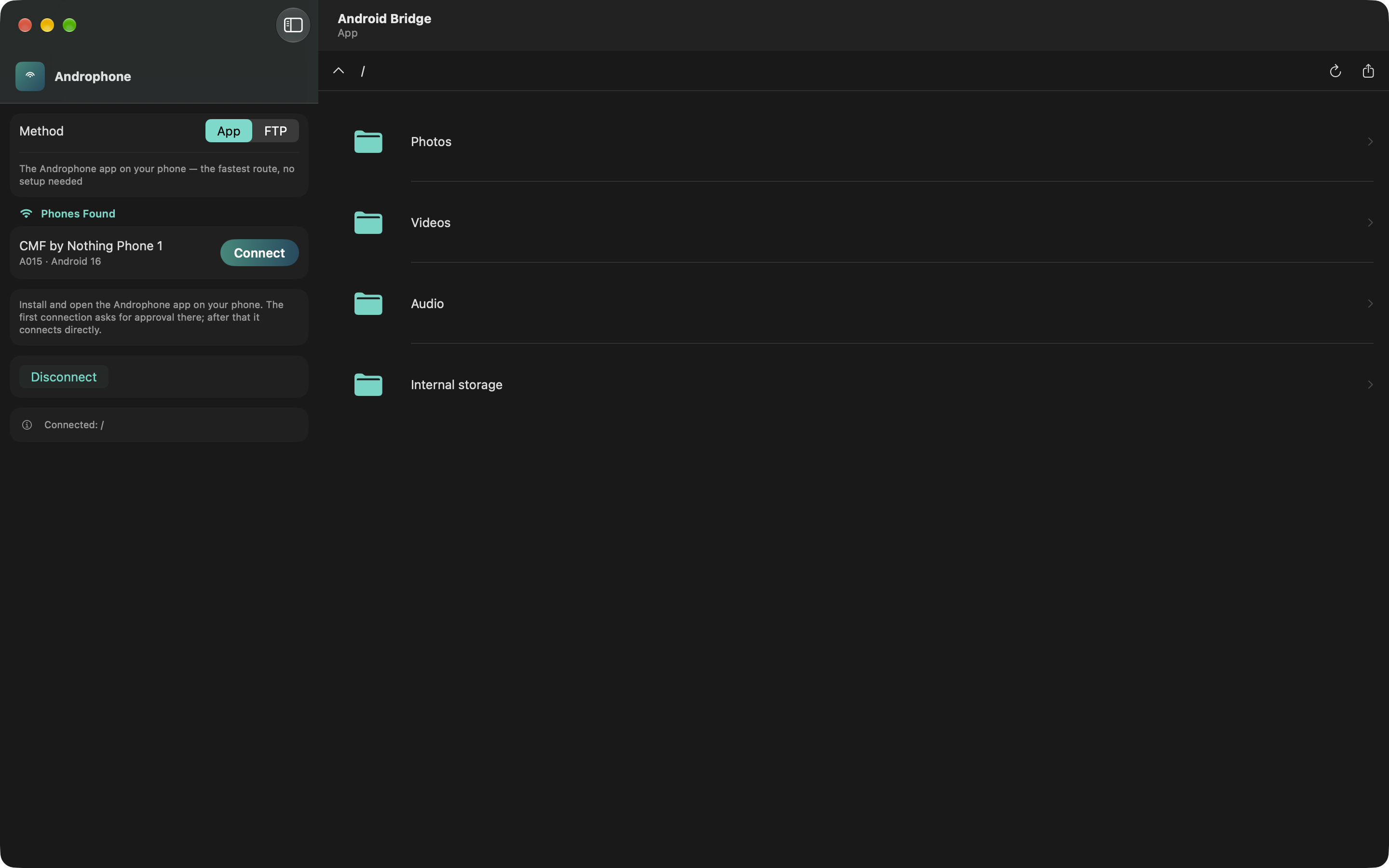
Device Discovery
The Mac app finds the phone on the network by itself — no IP address to type. Connect once and the folders on the phone open straight away.
Wi-Fi File Transfer
Browse your Android over Wi-Fi.
AndroWin connects your Android phone, your Mac, and your Windows PC over your own Wi-Fi network — so you can browse, preview, and transfer files without a cable, a cloud account, or a server.
In development
AndroWin is not yet available to download on any platform. This page documents the apps and publishes their privacy policy while the store submissions are prepared.
macOS
App Store submission pending
Android
Play Store listing not yet open
Windows
Installer packaging in progress
How It Works
App Screens
The desktop app does the browsing; the phone runs the server that answers it. These screens show both sides.
The Mac app finds the phone on the network by itself — no IP address to type. Connect once and the folders on the phone open straight away.
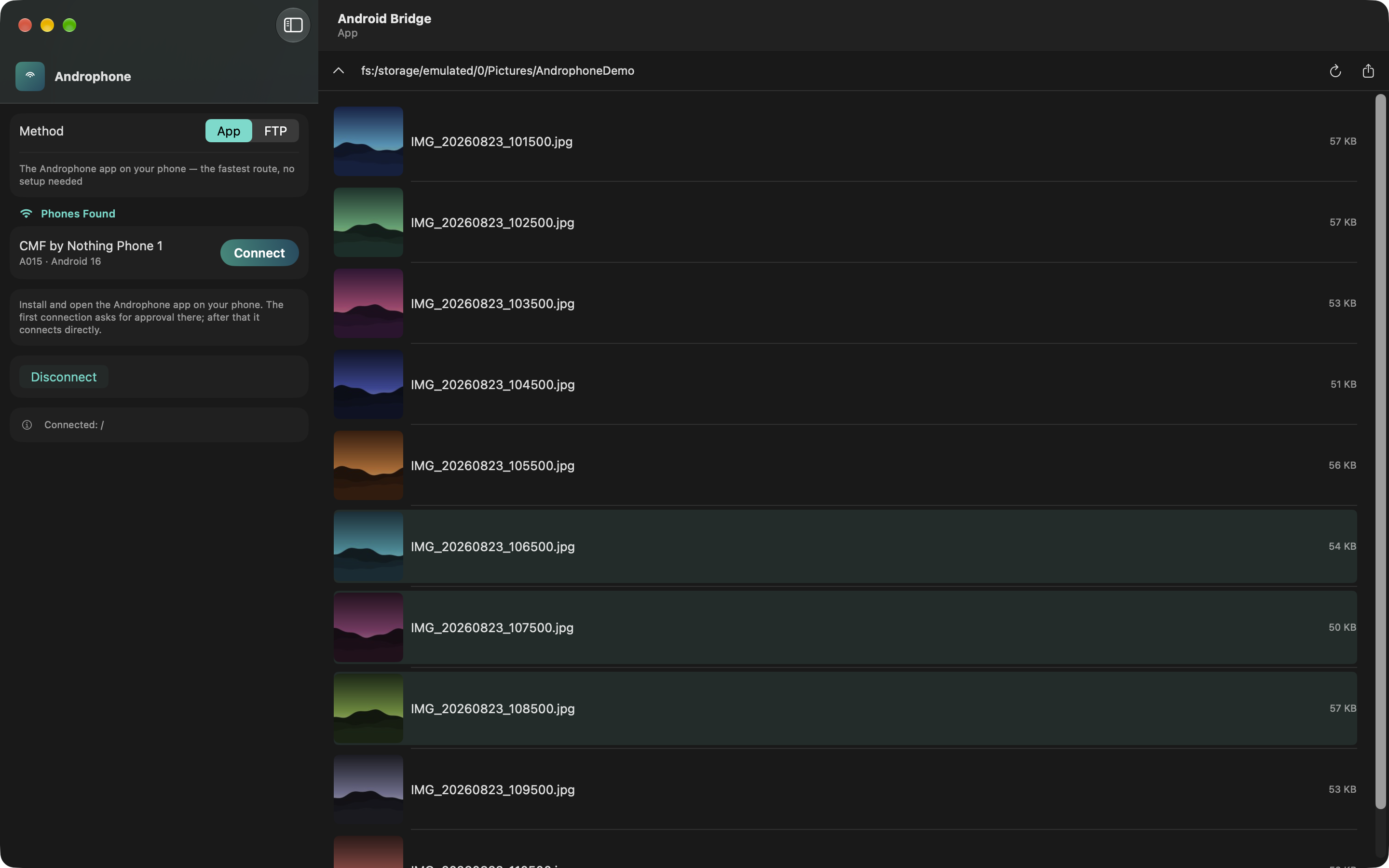
Photos and videos are listed with live thumbnails and file sizes, so you can find what you are after before downloading anything.
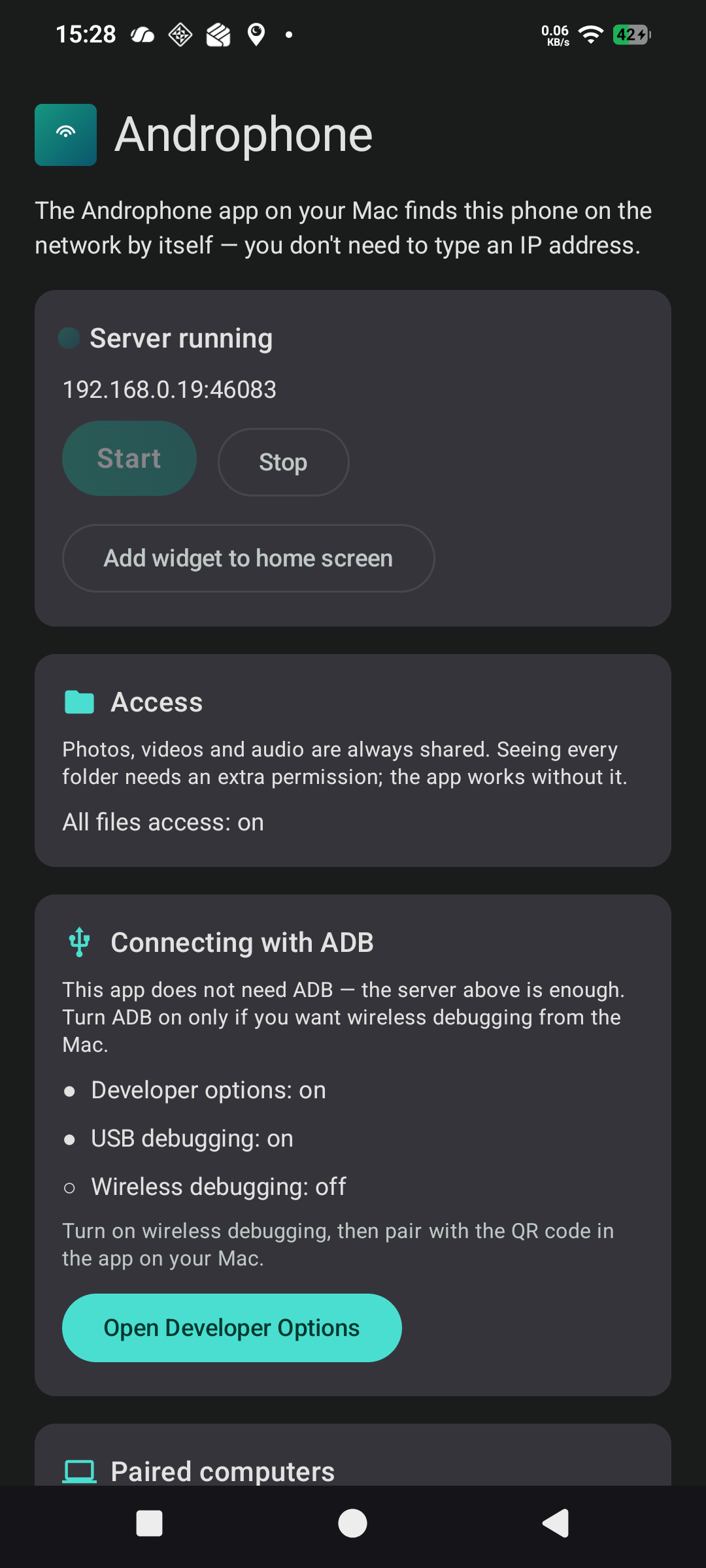
On Android the app runs a small server you start and stop yourself, with a home screen widget for one-tap control and a clear view of what is being shared.
Platforms
Privacy Policy
Last updated: 27 August 2026
AndroWin is a set of apps — for macOS, Android, and Windows — that let you browse and transfer files between your own devices over your local network.
AndroWin has no servers. It sends nothing to us, and there is nothing for us to collect. Your files move directly between your phone and your computer over your own network, and never pass through any system we operate.
We do not operate analytics, crash reporting, advertising, or tracking of any kind. There are no third-party SDKs in any app.
Photos, videos and audio (Android). The Android app lists your media so a paired device can display and download it. It reads this only while you have the server running, and only to answer requests from a device you have approved.
All files access (Android). Optional. Grant it and a paired device can browse folders beyond your media library; decline it and the app still works for photos, videos and audio. This permission is used solely to serve files you request — the app does not index, scan, or catalogue your storage.
Chosen folders (macOS and Windows). Turning on sharing exposes only the folders you explicitly pick — plus Downloads, shared by default — to devices you have paired with. Nothing else on the computer is reachable, and you can remove a folder from sharing at any time.
Local network (all platforms). Every app announces itself on your local network so devices can find each other without you typing an IP address. This is limited to your network; none of the apps reach the internet.
Notifications (Android). Used to show that the file server is running, so a background service is never invisible to you.
A pairing token is generated the first time you approve a connection, so you are not asked again for the same device. It identifies a device pairing, not you, and is stored using each platform's own protected storage: the system keychain on macOS, the app's private storage on Android, and — on Windows — DPAPI, tied to your Windows account, so the file is unreadable if copied elsewhere or opened under a different account.
Your settings (the last used connection method, which folders are shared, addresses you typed) stay on the device.
Nothing else is retained. Files that you transfer are written where you choose and are not copied anywhere else.
We share nothing, because we receive nothing. No data is sold, transferred, or disclosed to third parties.
Uninstalling an app removes its pairing tokens and settings. You can also revoke an individual pairing from the device list at any time.
AndroWin is not directed at children and collects no personal information from anyone, including children.
If this policy changes, the updated version will be published at this address with a new date at the top.
Questions about this policy: mail@alemdar.tech